Retroma, an Obsidian Theme
A tribute to the past with an eye toward the future
Categories:
A Brief Overview of Obsidian
I have been using Obsidian to manage all of the Markdown files that I write.
It has been amazing.
As a tool, Obsidian does exactly what I need it to, without forcing me to use all of its advanced features.
Obsidian can do a lot of fancy things, especially because it supports a community-driven ecosystem of plugins.
No Vender Lock-In
The best part about Obsidian, however, is that there is no proprietary file format to worry about.
This is what I love most about the tool.
Because Obsidian is really just a means of working with my Markdown files, I never have to worry about vender lock-in.
If, for some reason, Obsidian goes away in the future, I don’t have to deal with the headache trauma of trying to rescue my data from a file format that no other tool can understand.
Everything I write remains in Markdown and I can take those Markdown files with me anywhere Markdown can go.
Obsidian Sync
I opted to support the Obsidian project by using the Obsidian Sync service.
As Obsidian describes the service:
All your notes, on all your devices. The simple and secure way to sync your notes across any device and OS.
Of course, there are ways to sync files without using a service like this, but it feels good to support the development of Obsidian — and even better to have my Markdown files available on all my devices without any extra work on my part.
While sitting behind a computer, I use Obsidian on Linux.
If I am on the go, it’s via the Official Android App.
Themes
Obsidian also supports community-developed themes, which brings us to the subject of this article.
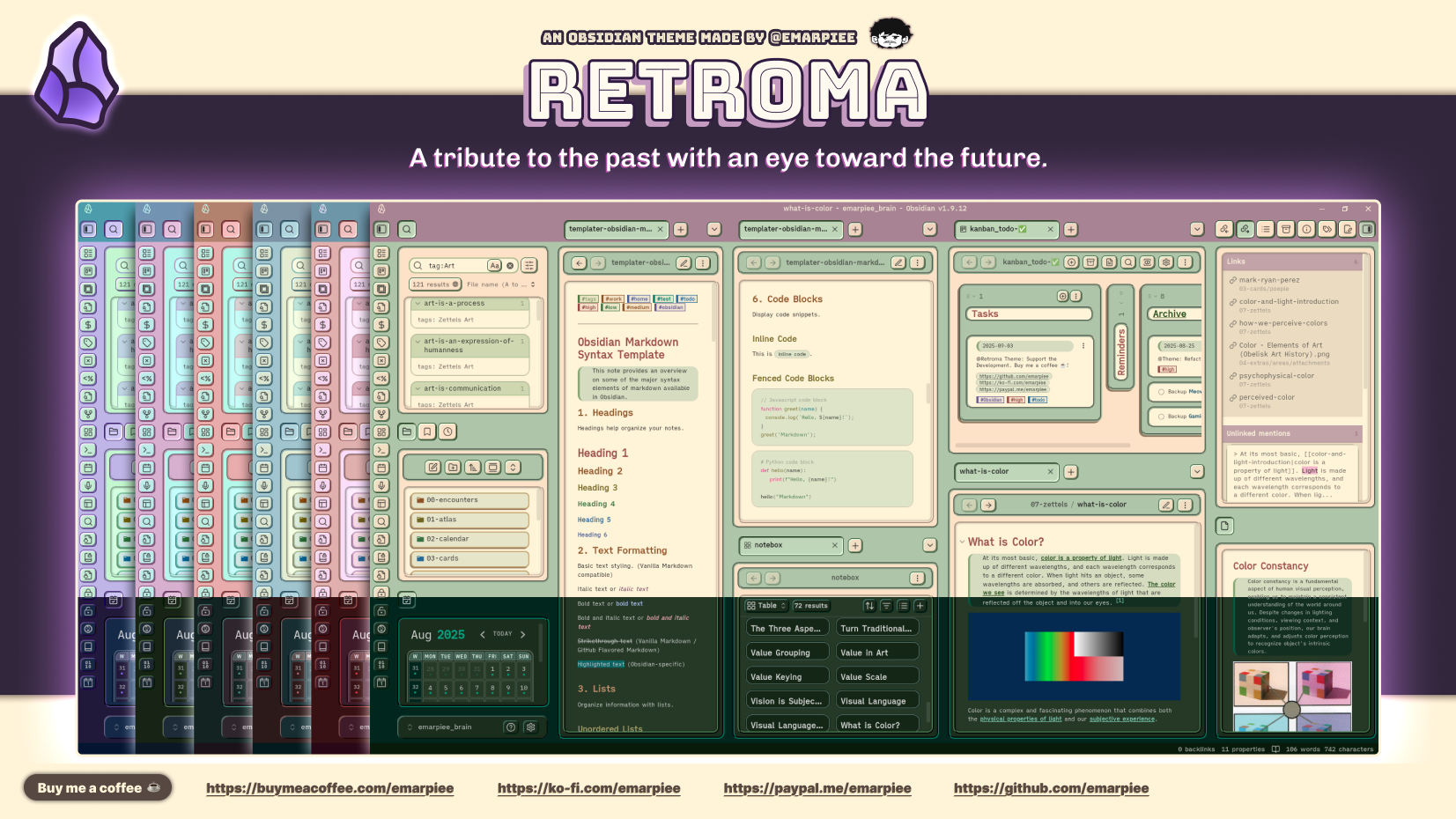
Retroma by emarpiee
Retroma by emarpiee is my theme of choice.
I am all about enjoying retro nostaliga while cranking out some Markdown files.
Customization
As stated on the project’s GitHub repository, Retroma has three distinct variants.

Groovy: A retro-inspired design with a focus on depth and distinct borders, ideal for those who appreciate classic aesthetics.
Simple: A balanced variant that offers a clean, modern look while retaining the theme’s core retro elements.
Minimalist: A stripped-down version that emphasizes simplicity and clarity, focusing on essential design elements.
Color Palette Generator

There is also support for generating color palettes from a base accent color, using one of four harmony rules:
| COLOR SCHEME | PRINCIPLE | VISUAL RESULT |
|---|---|---|
| Analogous | Colors adjacent to the base accent color. | Harmonious and calm. Delivers a cohesive, low-contrast visual field. |
| Split Complementary | Base accent color, plus the two colors next to its opposite. | Balanced contrast. Achieves vibrancy without visual conflict. |
| Monochromatic | Variations (shades/tints) of the single base accent color. | Clean and unified. Ensures maximum consistency and visual elegance. |
| Triadic | Three colors equally spaced on the color wheel. | Vibrant and dynamic. Produces high contrast for an energetic interface. |
Wrapping Up
Retroma embraces nostalgia without getting in the way. It feels intentional, thoughtfully designed, and respectful of the work you’re actually trying to do inside Obsidian.
For me, this theme enhances the Obsidian experience without demanding too much attention.
If you enjoy a bit of retro charm, Retroma is absolutely worth a try.
Where to Find Retroma
If you are an Obsidian user and want to download Retroma, you can find it over on GitHub.